01
Quality profiles
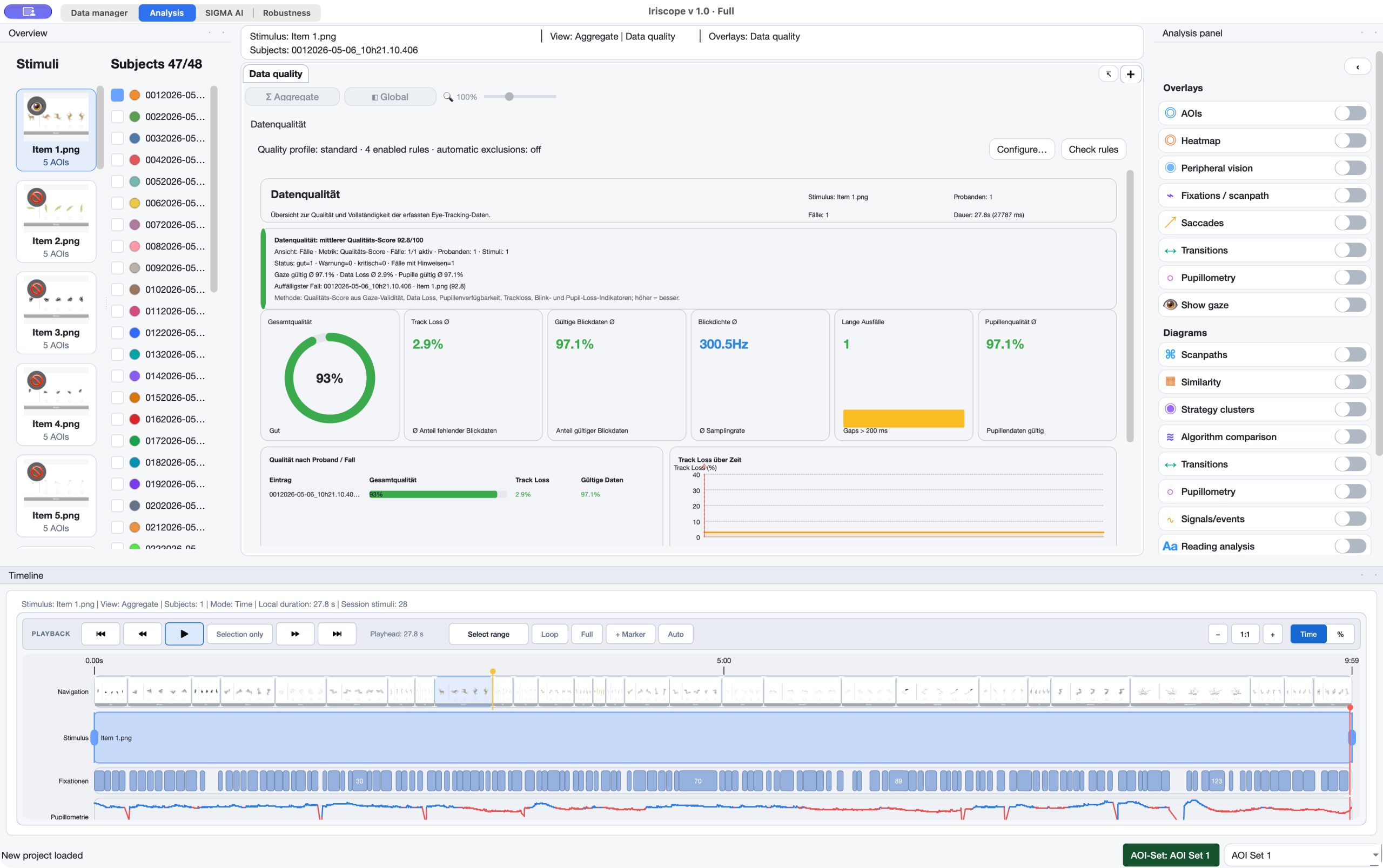
Quality-related settings are versioned as project context rather than silently applied filters.
03 / Analyze · Data Quality, Event Validation & Corrections
Iriscope keeps data quality, event review and spatial correction explicit. Inspect raw and corrected states, validate events without rewriting their underlying tables, and recalculate only with a documented method context.
The capability
Use this workflow for the part of the research question it addresses.
01
Quality-related settings are versioned as project context rather than silently applied filters.
02
Preview correction states before applying a reversible correction layer to clean data.
03
Mark individual events as approved, rejected or needing review, with optional notes.
04
When a method-relevant correction is applied, dependent spatial and AOI results are recalculated.
In the application
Keep the relevant material, definitions and review decisions connected at each step.
Method context
The relevant settings, prerequisites and interpretation stay attached to the workflow.
Correct deliberately, from one case to the project.
Spatial correction can be scoped to the current item, participant, selected cases or the project. Offset and drift can be combined with explicit affine transforms such as rotation, scale, shear, mirroring or axis exchange. The display can show original and corrected states together; raw samples remain unchanged.
A live correction preview affects the visible overlay only. Original data and calculated metrics remain untouched until a deliberate apply-and-recalculate step.
The saved original clean-data state can be restored for the selected scope, followed by recalculation. This keeps correction reversible and analytically accountable.
Quality review is not participant modelling.
These tools inspect recording quality, events and spatial alignment. They make eye-tracking analysis more defensible; they do not infer participant traits, groups or psychological states.
Connect the workflow
Tell us about the material, recording and result you need to inspect. We can identify the appropriate product and method scope.