01
Named windows
Save a label, notes, boundaries and selected participants with the project.
03 / Analyze · Temporal Analysis
Iriscope treats named analysis windows as stored, reproducible definitions. Define them in real time or relative to each participant’s recording, calculate them separately and keep their scope visible across timeline, scanpaths and export.
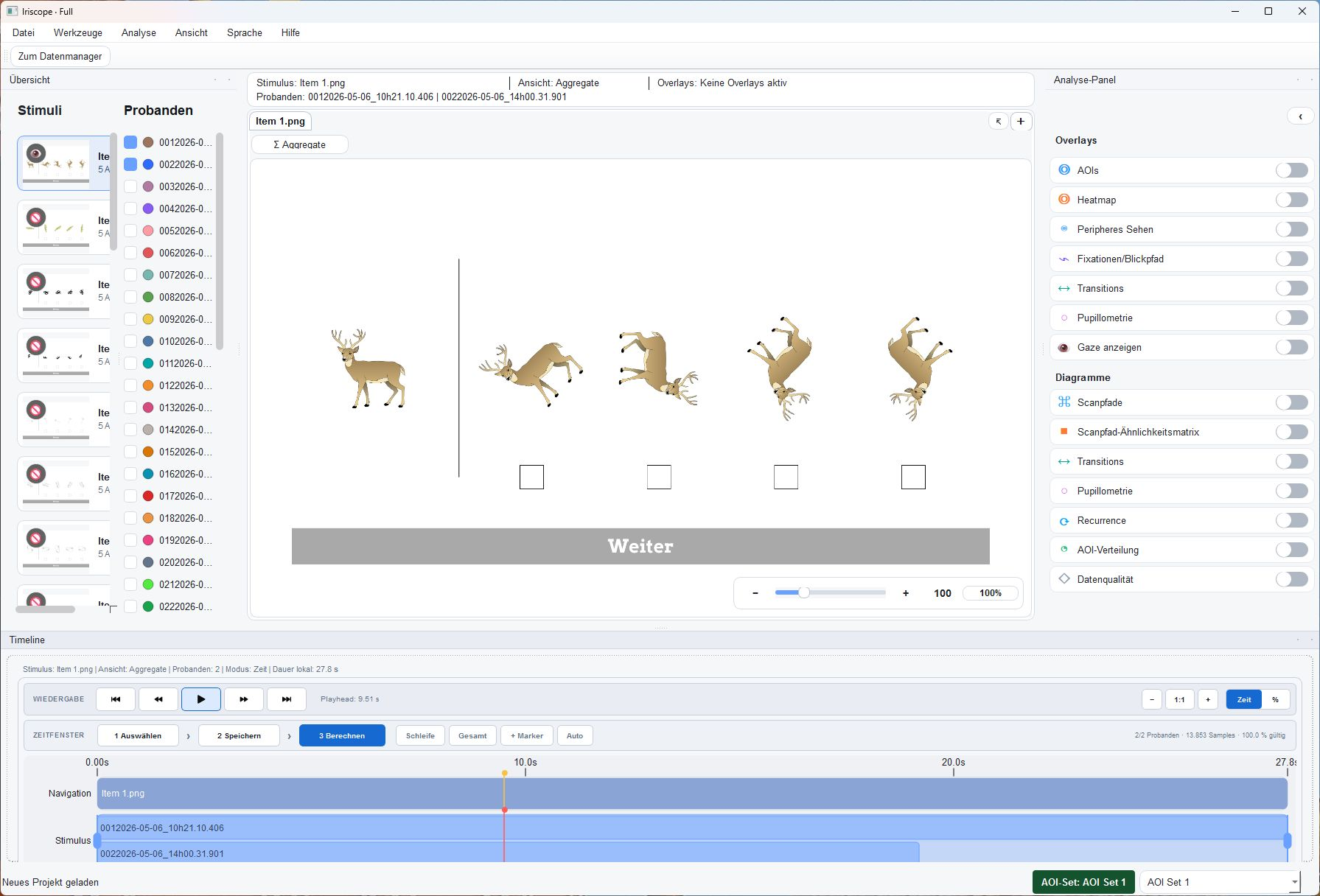
The capability
Use this workflow for the part of the research question it addresses.
01
Save a label, notes, boundaries and selected participants with the project.
02
Use milliseconds or normalised percent and resolve the same phase against each participant’s duration.
03
Apply one definition across a group or store participant-specific ranges.
04
Calculate a window without altering the full-trial result and export it as its own result scope.
In the application
Keep the relevant material, definitions and review decisions connected at each step.
Method context
The relevant settings, prerequisites and interpretation stay attached to the workflow.
Define the phase, preserve the full recording.
Time-window calculations run on a temporary analytical scope that shares the necessary project context while leaving the original full-trial data and results intact.
Multiple saved windows remain visible and editable. When relative windows are used, their boundaries are resolved per participant against the relevant recording duration.
A time window is an analytical scope, not a claim about the participant.
Iriscope uses time windows to structure eye-tracking data and its calculation context. It does not infer motives, traits or states from a selected interval.
Connect the workflow
Tell us about the material, recording and result you need to inspect. We can identify the appropriate product and method scope.