01
Stimulus-aware overlays
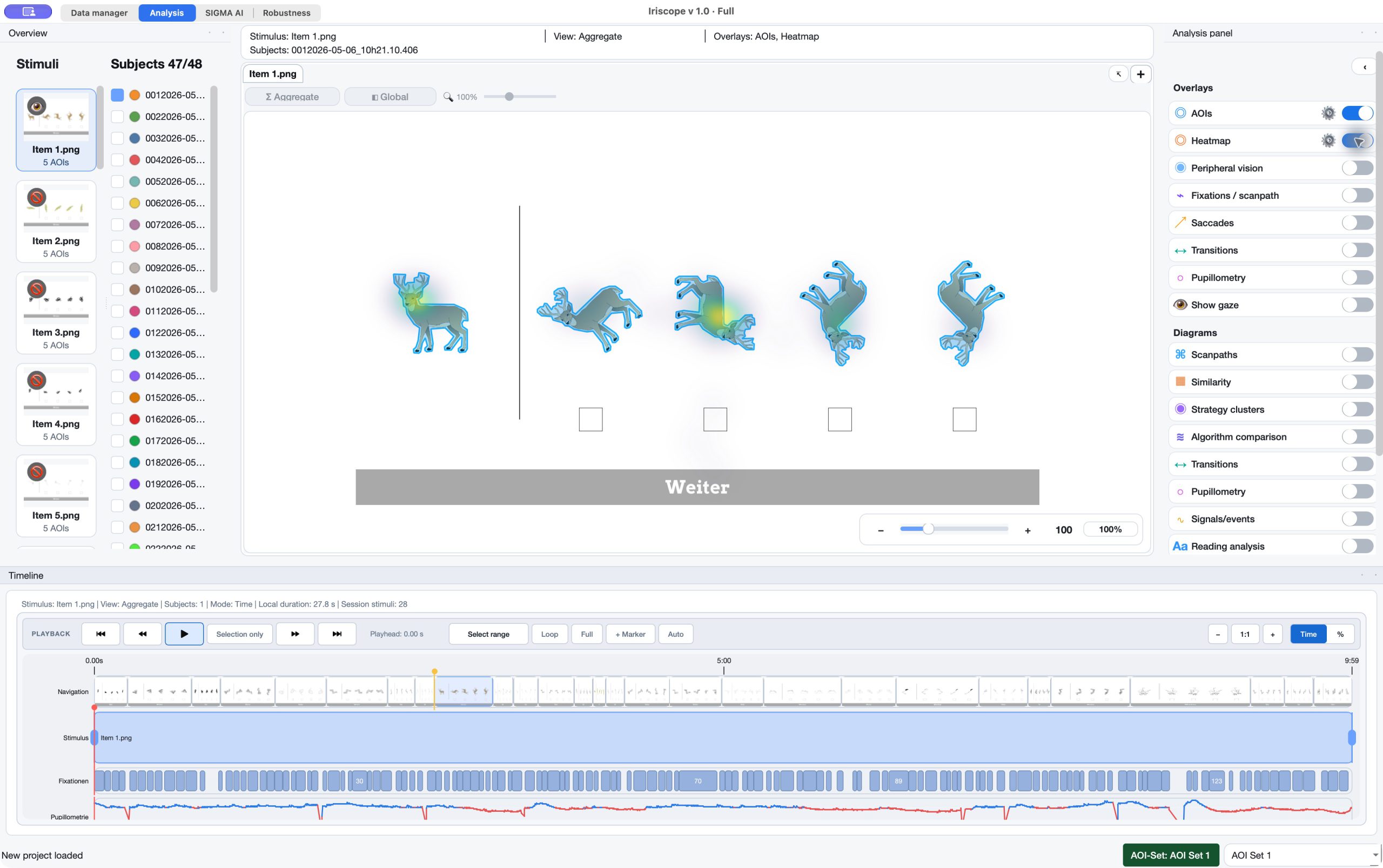
Inspect AOIs, heatmaps, gaze, fixation paths, transitions, peripheral context and pupil views on the stimulus.
03 / Analyze · Visual Analytics & Project Review
Iriscope brings stimuli, AOIs, overlays, diagrams and timelines into the same project context so visual inspection remains anchored in the selected data, event source and analytical scope.
The capability
Use this workflow for the part of the research question it addresses.
01
Inspect AOIs, heatmaps, gaze, fixation paths, transitions, peripheral context and pupil views on the stimulus.
02
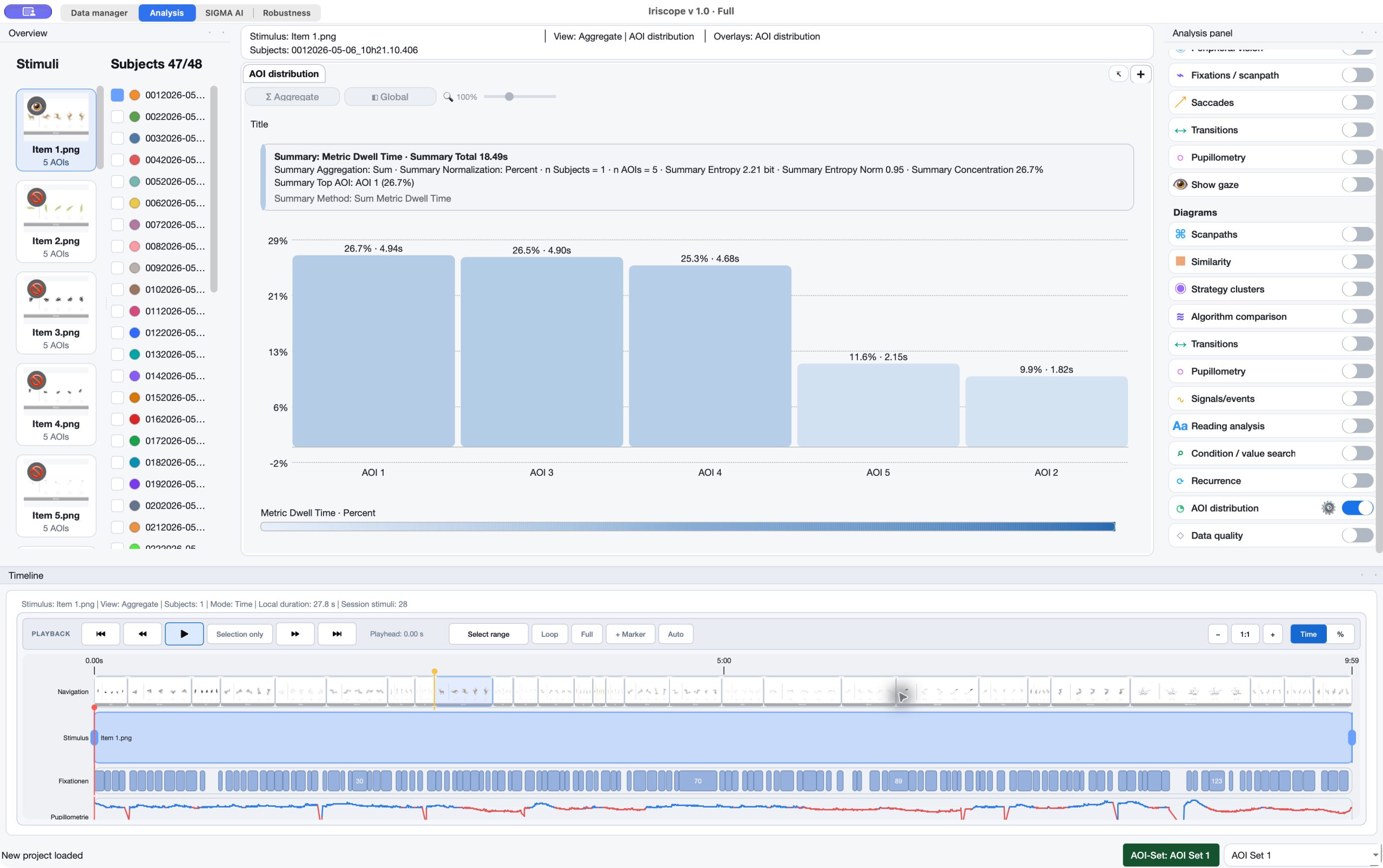
Open scanpaths, transition views, recurrence, AOI distributions, quality views and more from project data.
03
Use timeline, playhead and selected time-window context to inspect visual behaviour in sequence.
04
Keep the selected visual evidence available for review in a full project or the free Reader.
In the application
Keep the relevant material, definitions and review decisions connected at each step.
Method context
The relevant settings, prerequisites and interpretation stay attached to the workflow.
Review the evidence, then retain the context.
Iriscope includes diagrams for scanpaths, scanpath similarity, transitions, pupillometry, recurrence, AOI distribution and data quality. The appropriate view depends on the question; the value lies in keeping the selected representation tied to the project and method that produced it.
For recurrence, sequence similarity, entropy and other dynamic analysis questions, use the dedicated Gaze Dynamics overview.
Explore gaze dynamics
For named absolute, relative and participant-specific time windows, use the dedicated temporal workflow where the scope remains visible in timeline and scanpaths.
Explore Temporal Analysis
A visual view supports interpretation; it does not replace it.
Heatmaps, scanpaths, timelines and diagrams make eye-tracking evidence inspectable. They do not by themselves establish attention, perception, group membership or causal explanation.
Connect the workflow
Tell us about the material, recording and result you need to inspect. We can identify the appropriate product and method scope.