01
Manual control
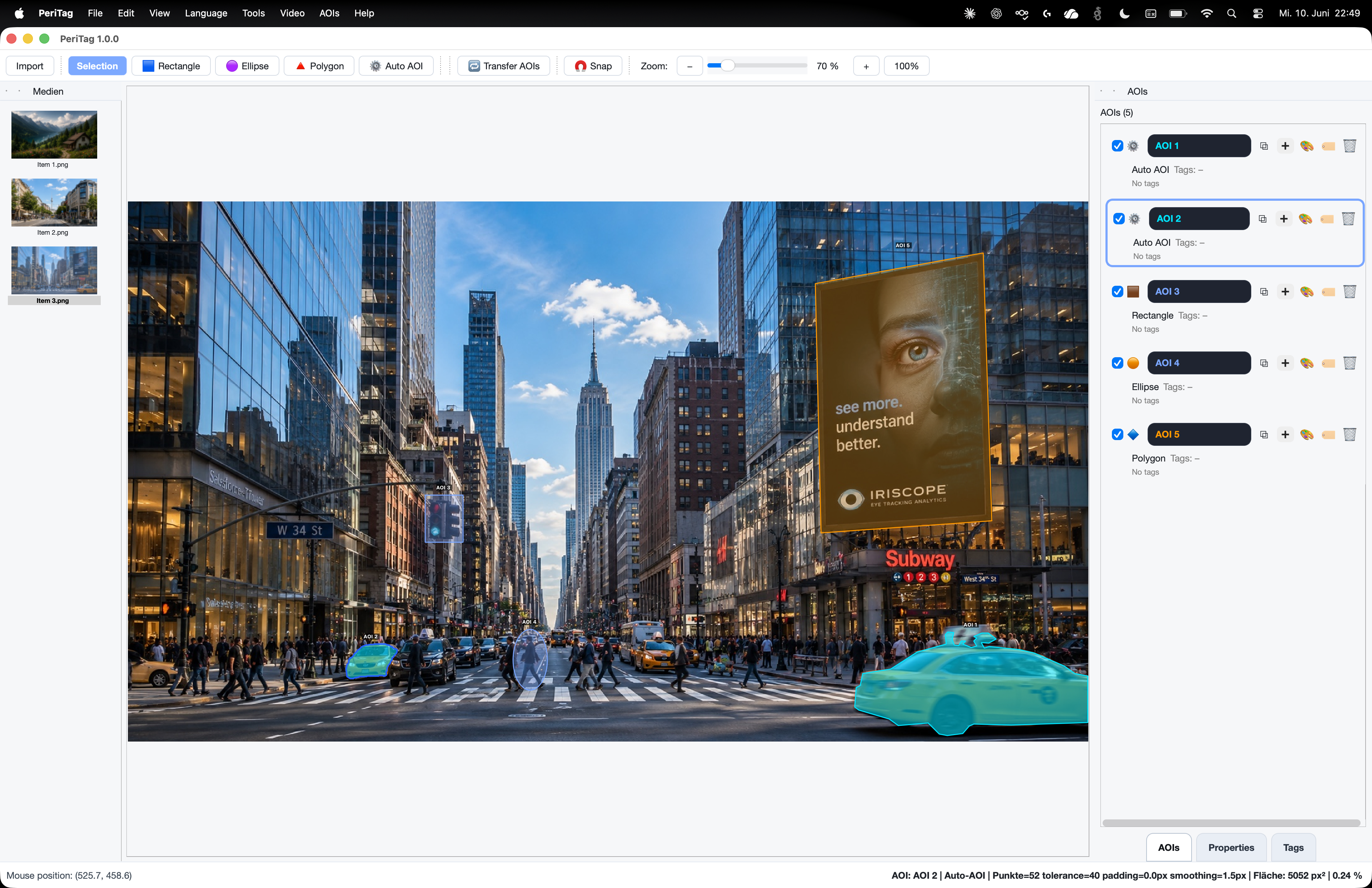
Draw the exact geometry the study requires.
02 / Annotate · PeriTag Eye-Tracking AOIs
PeriTag supports rectangles, ellipses, polygons, OCR and model-assisted regions while keeping names, colors, tags and semantic meaning under researcher control.
The capability
Use this workflow for the part of the research question it addresses.
01
Draw the exact geometry the study requires.
02
Turn text and interface labels into structured regions.
03
Accelerate visible-object selection and segmentation.
04
Replace anonymous shapes with meaningful research objects.
In the application
Keep the relevant material, definitions and review decisions connected at each step.

Research applications
Typical contexts for this capability.
01
02
03
04
Connect the workflow
Tell us about the material, recording and result you need to inspect. We can identify the appropriate product and method scope.