Follow the gaze
Scanpaths
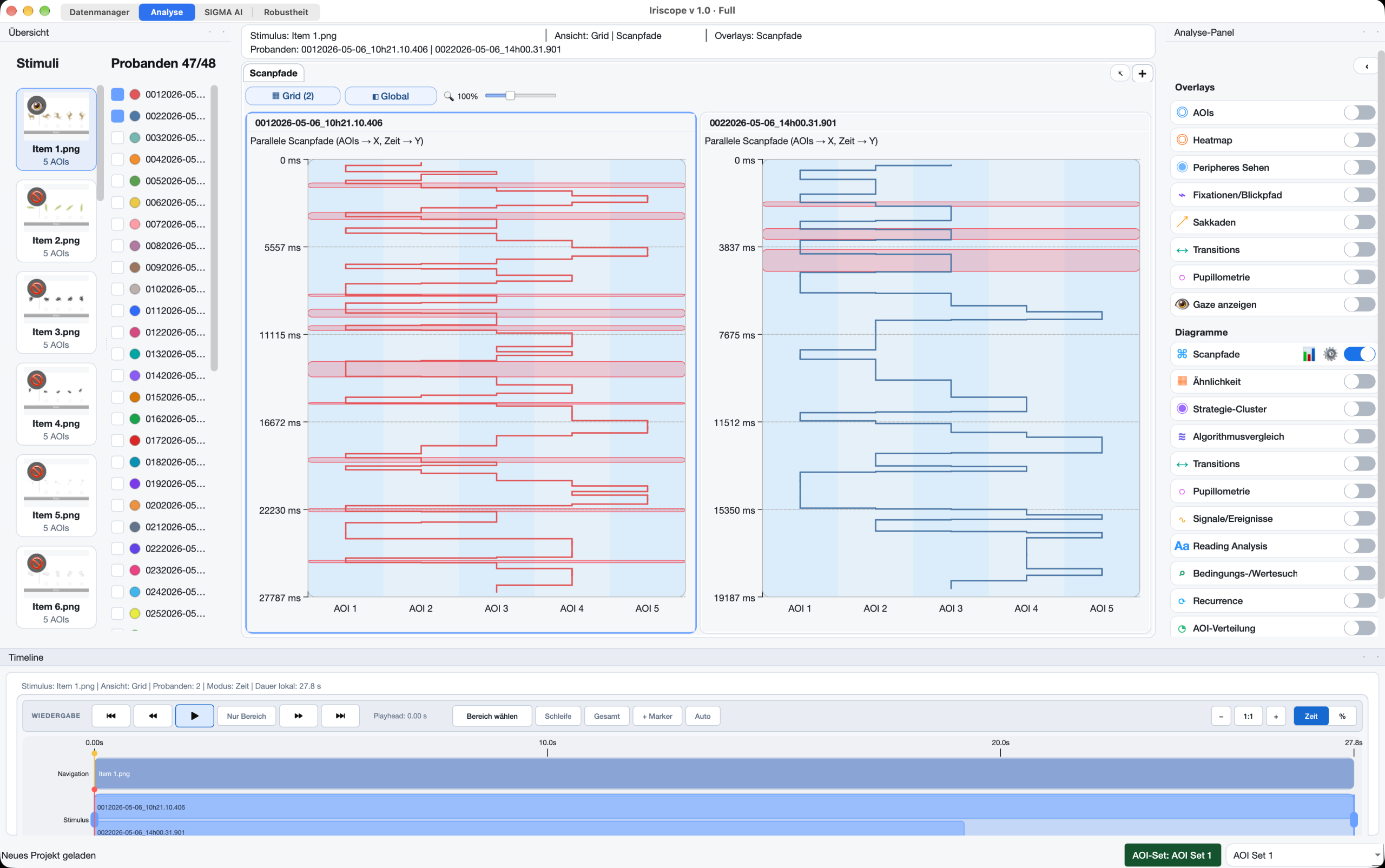
Compare participants side by side on a shared time axis. Follow AOI order, dwell and playback in parallel scanpaths.
Iriscope · Eye-tracking analysis
Explore scanpaths, compare similarities, search AOI sequences and discover strategy clusters. Import recordings, calculate metrics and keep each result connected to its data and method.
macOS & Windows
Local projects
Licenses on request
Scanpaths · Similarity · Search · Clusters
Follow individual paths, compare them, find a specific sequence or discover shared gaze patterns. These are separate tools in the same project.
Follow the gaze
Compare participants side by side on a shared time axis. Follow AOI order, dwell and playback in parallel scanpaths.
Compare paths
Compare participants or items with similarity matrices. Inspect AOI order, timing and spatial path differences using the selected method.
Find a pattern
Search sequences such as AOI 1 → AOI 3 → AOI 5. Highlight matches, allow intermediate AOIs or show only matching paths.
Discover shared patterns
Group similar scanpaths automatically. Review representative paths, members, cluster quality and the recommended number of clusters.
Core features
See the main tools here. Open a feature for its workflow, settings and method details.

01 / Iriscope
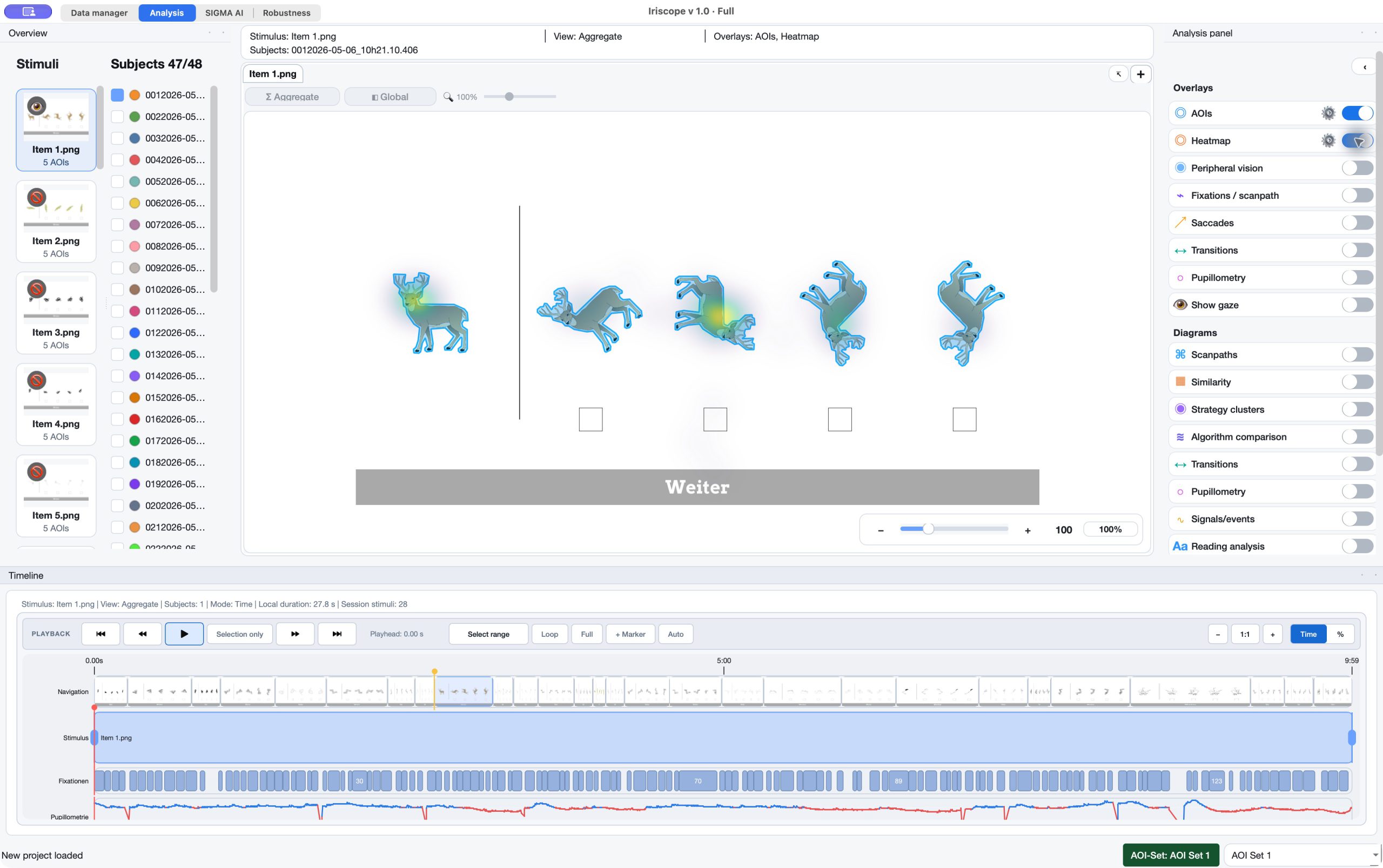
Explore heatmaps, scanpaths, AOIs and gaze overlays on your stimuli. Use the timeline to follow the recording in context.
02 / Iriscope
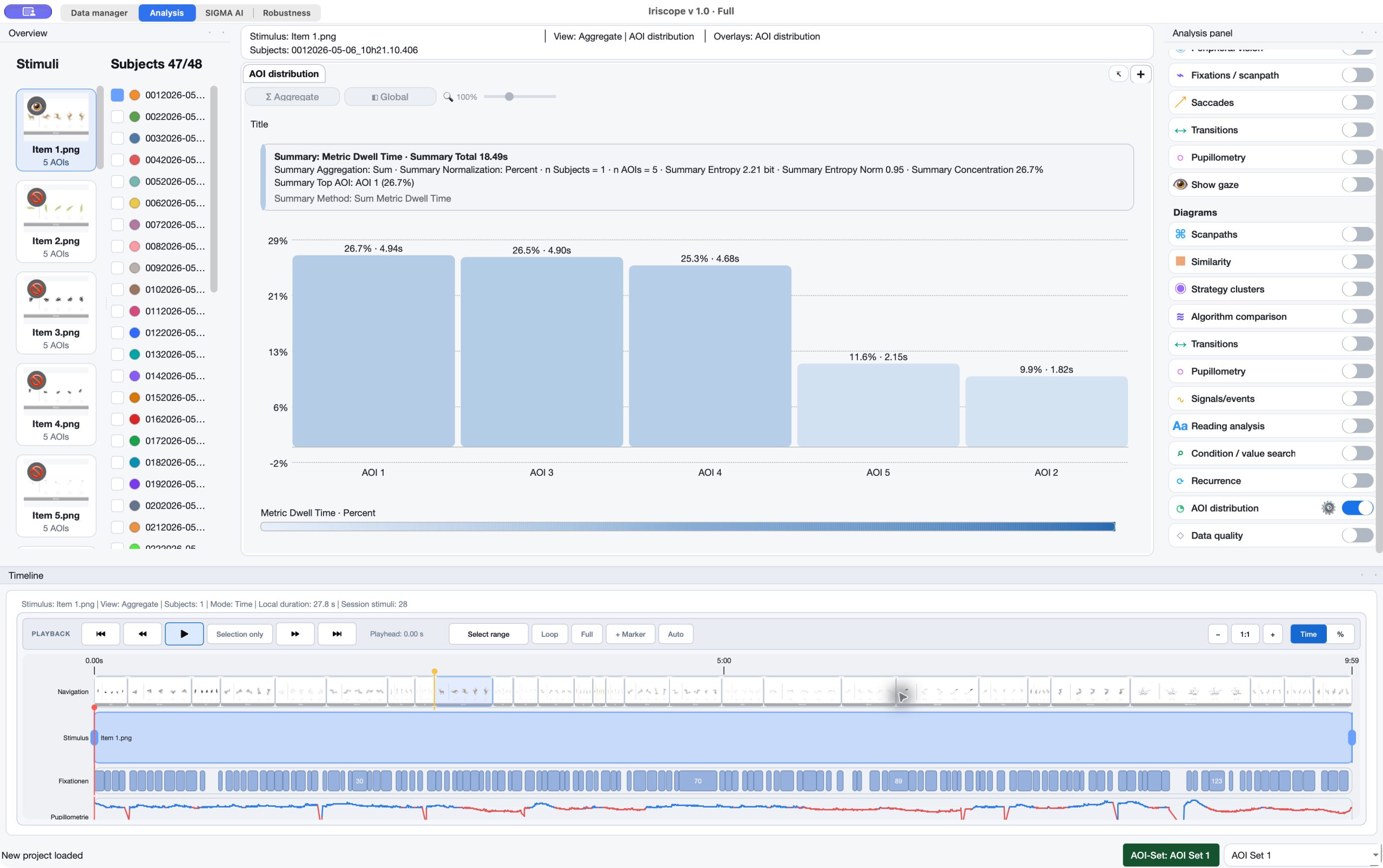
Calculate fixations, dwell time, visits, reading measures and more. Inspect results across participants, stimuli and meaningful regions.
03 / Iriscope
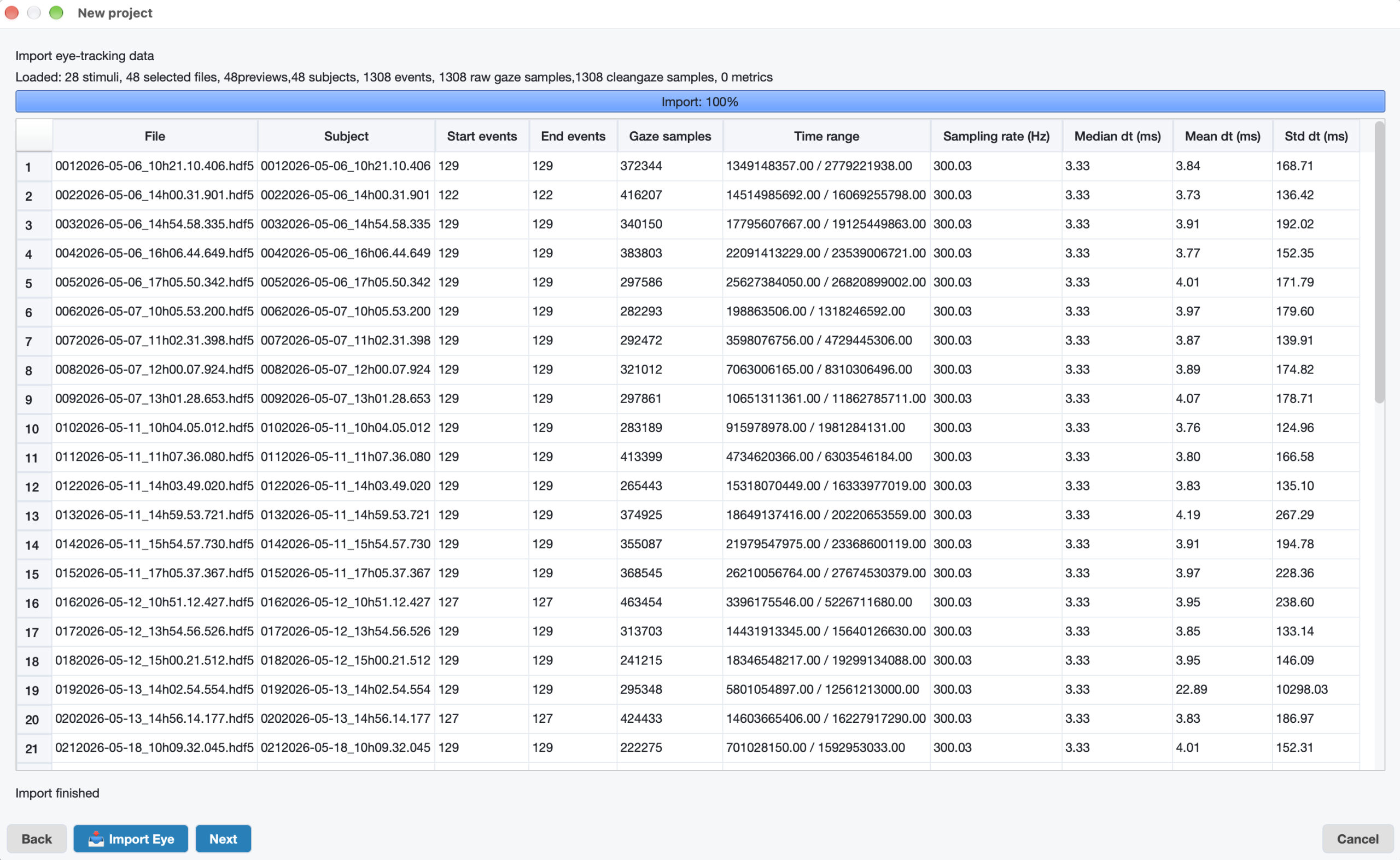
Import Tobii HDF5, EyeLink ASC and mapped CSV/TSV tables. Bring PeriTag AOIs and their stimulus context into the same project.
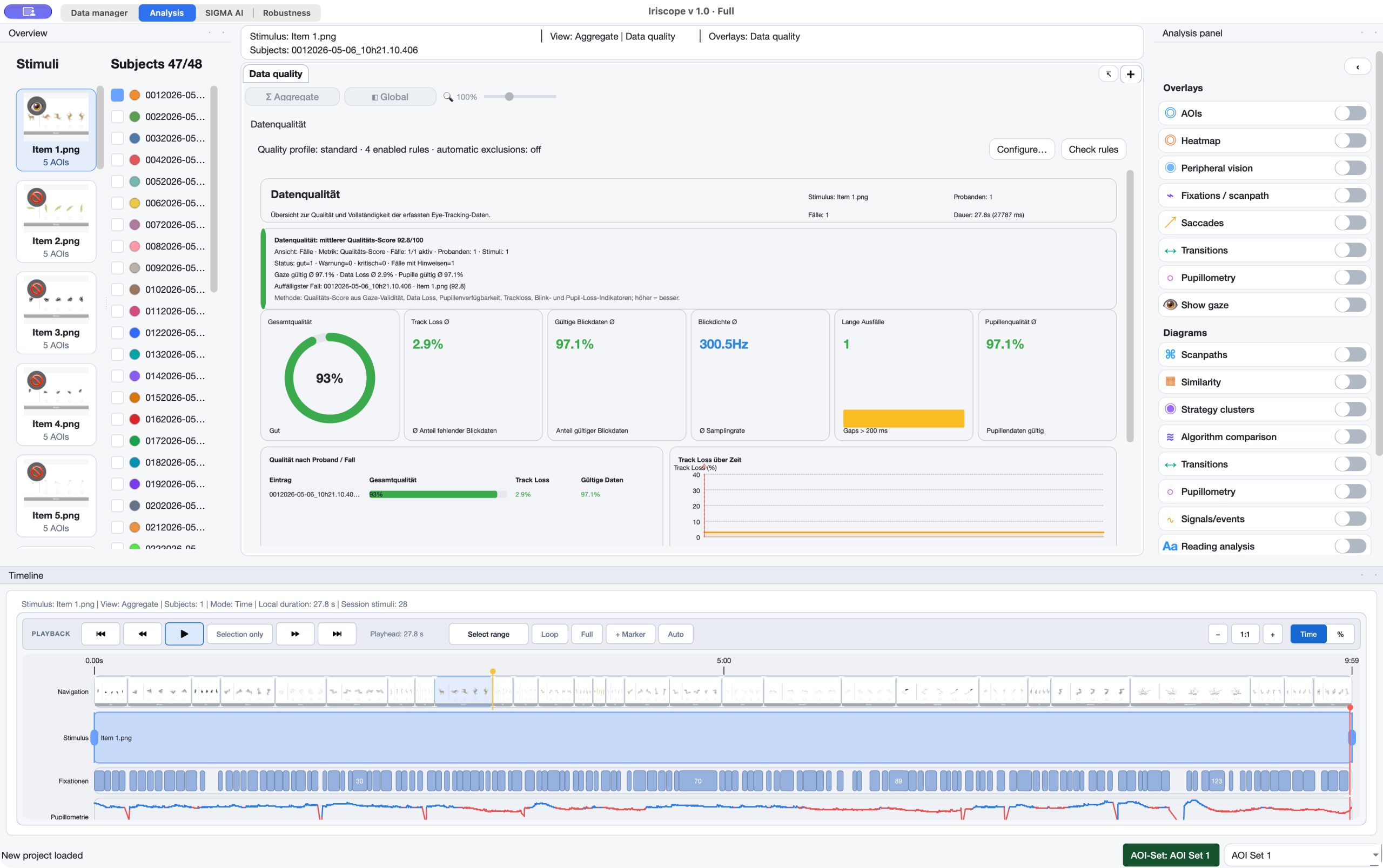
04 / Iriscope
Review validity, tracking loss and events. Preview reversible spatial corrections before applying them and recalculating affected results.
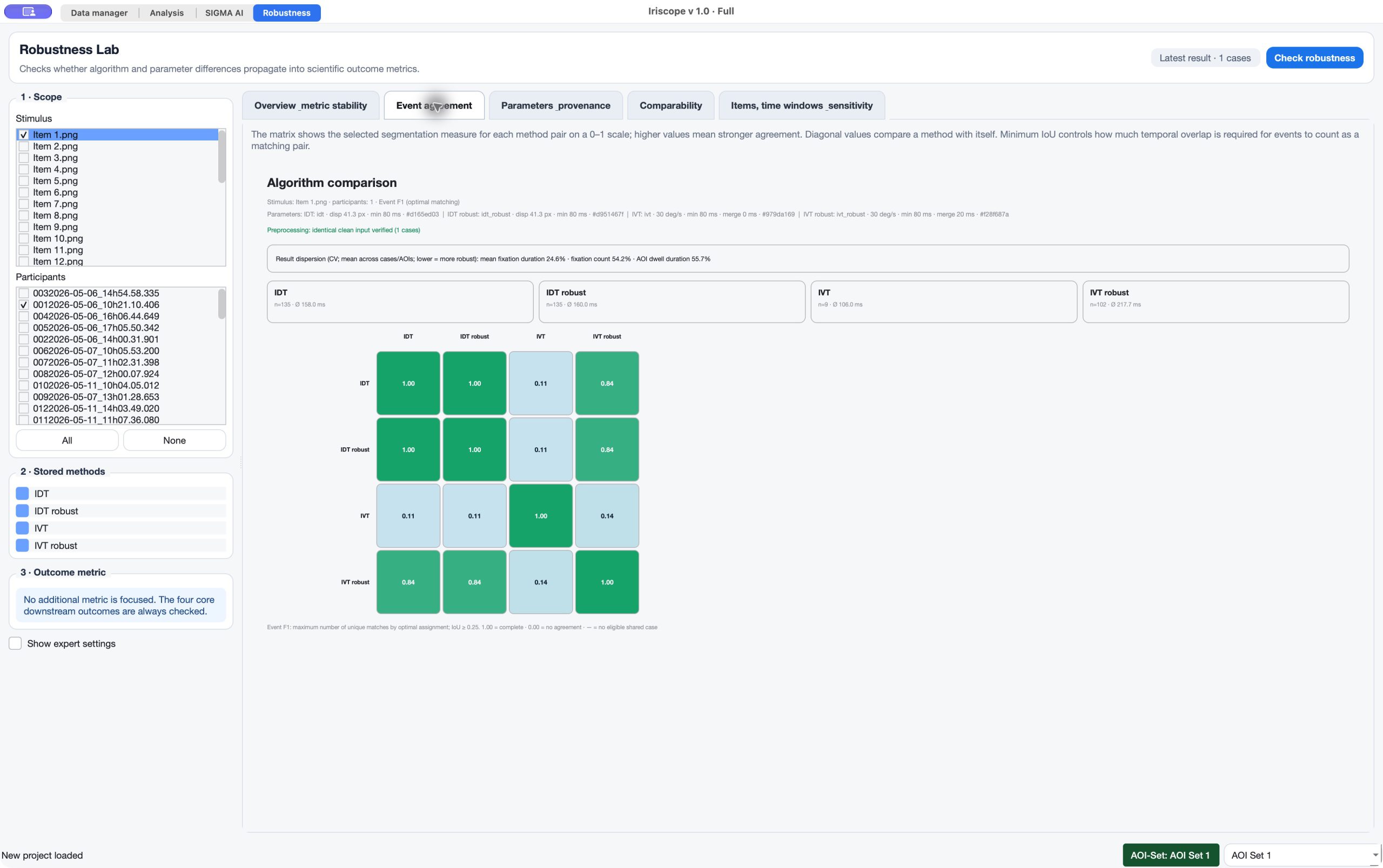
05 / Iriscope
Compare stored fixation methods on the same recording. See event agreement and how detection choices change counts, durations and AOI results.
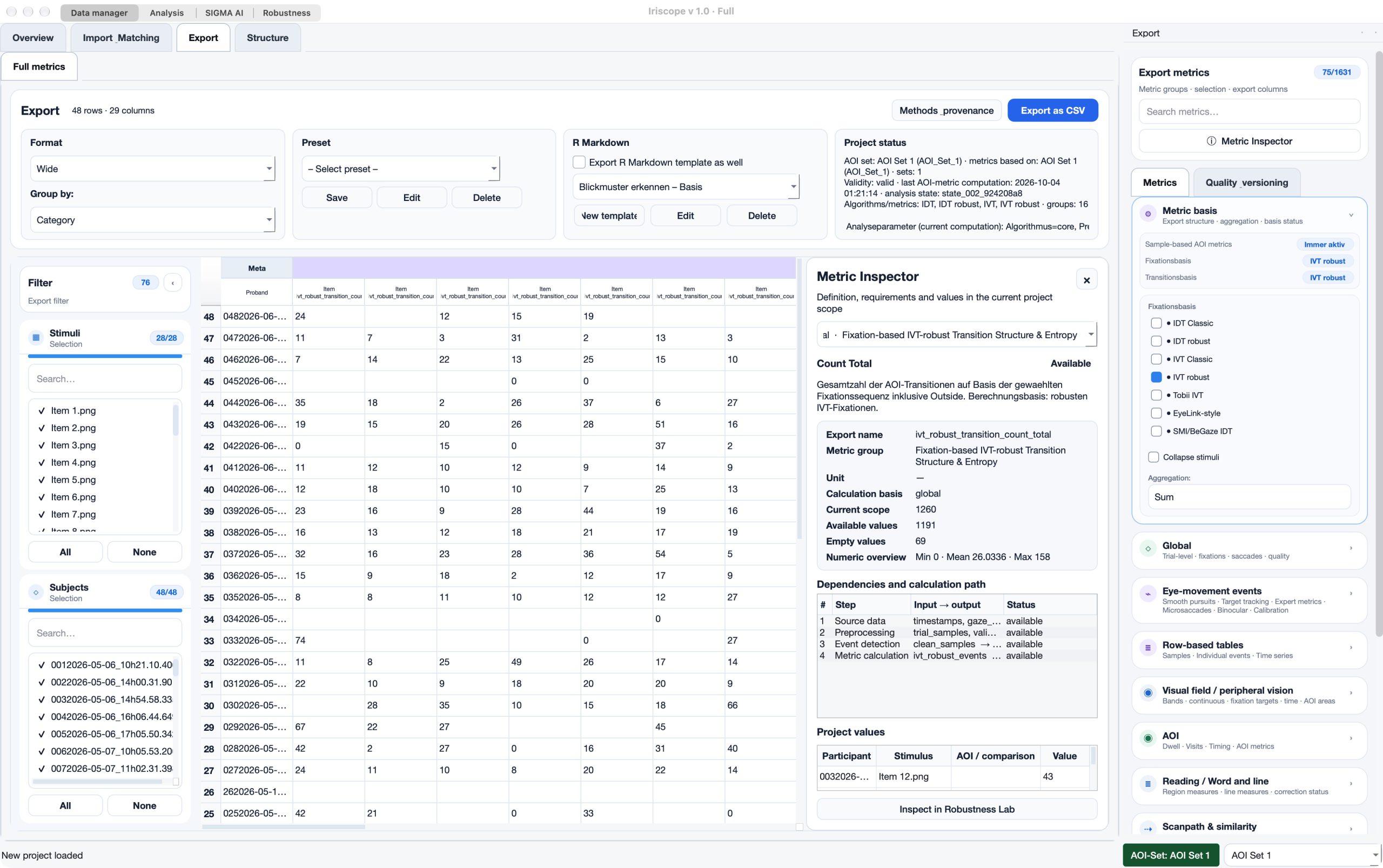
06 / Iriscope
Inspect a metric’s definition, availability and calculation path. Keep the data, method settings and analysis history attached to the result.
Reading · Signals · Sequence · Time · Export
Inspect first-pass reading, regressions, rereading and word/line AOIs, with the recorded reading layout in view.
Examine pupil responses, blink measures and eye openness using the channels recorded in your study.
Inspect signal timelines and event measures, including saccades, microsaccades, smooth pursuit and binocular analyses where the data support them.
See how gaze moves between regions through transition matrices, networks and AOI-sequence measures.
Inspect repeated patterns in one sequence or shared temporal structure between two, including recurrence views and lag profiles.
Combine metric thresholds, signals and AOI sequences with AND, OR and NOT. Review hits and save timed matches as analysis windows.
Compare study phases with absolute, relative or participant-specific ranges and calculate their results separately.
Inspect foveal, parafoveal and peripheral zones and time-matched AOI intersections using the stored display geometry.
Prepare global, AOI and pairwise result tables. Export selected metrics together with the method and provenance context.
In the application
Iriscope Reader · Free
The free Reader opens prepared Iriscope projects with their stored stimuli, AOIs, metrics, diagrams and reports. Recipients can inspect the work without an analysis license.
Iriscope licensing
Tell us about your recording formats and analysis needs. Iriscope licenses are available on request.